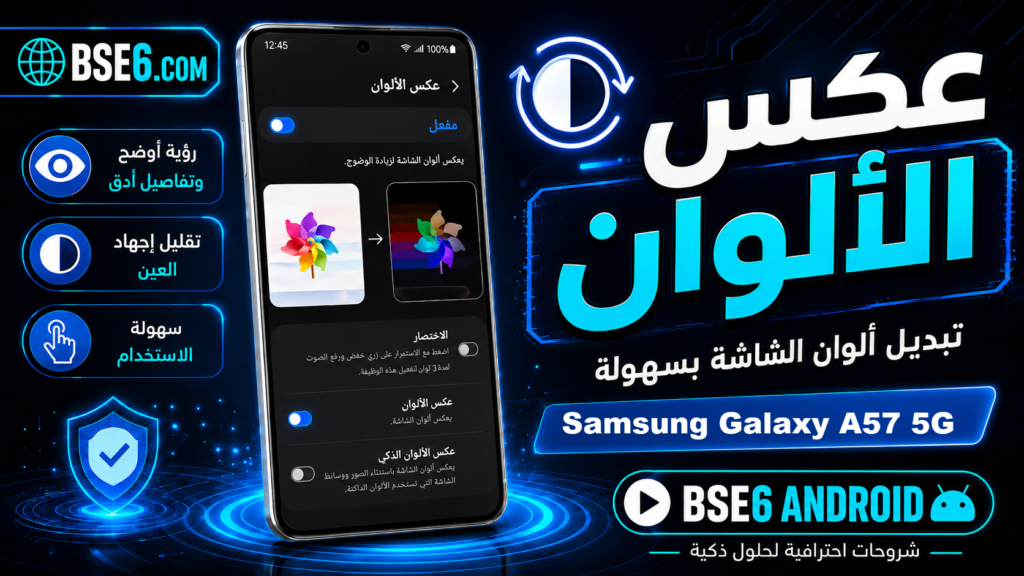
Color Inversion for Samsung Galaxy A36 5G, Enabling Color Inversion for Samsung Galaxy A36 5G,How to Enable Screen Color Inversion for Samsung Galaxy A36 5G,Inverting colors on Samsung Galaxy A36 5G.
How to Enable Color Inversion on Samsung Galaxy A36 5G?
You can enable the color inversion feature on your phone to invert the screen colors of your Samsung Galaxy A36 5G. When enabled, your screen colors will swap, making light colors appear dark and vice versa. This feature works across all applications, including media. Simply follow the steps below to invert the screen colors on your Samsung Galaxy A36 5G:
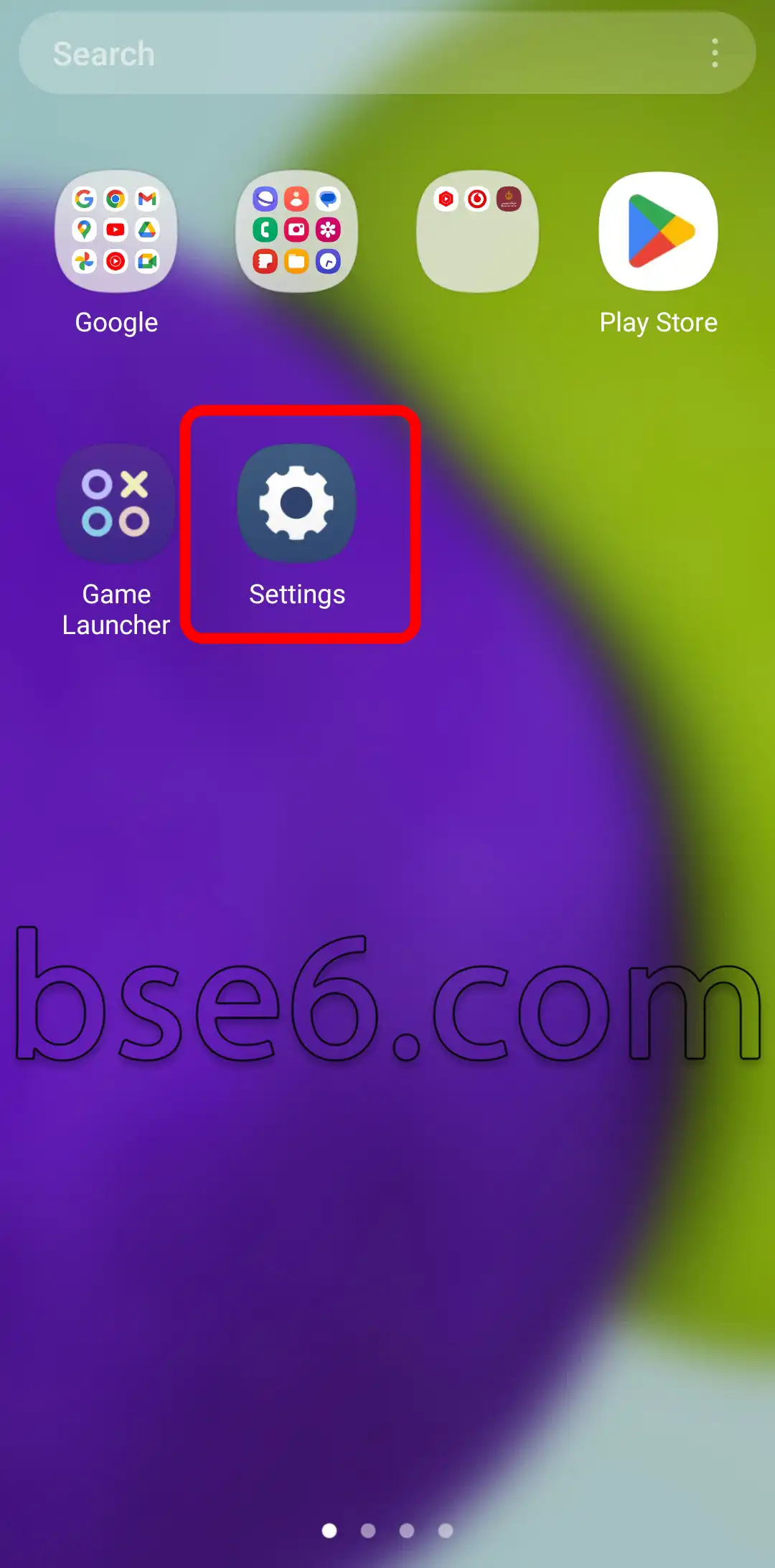
1- Go to “Settings”.
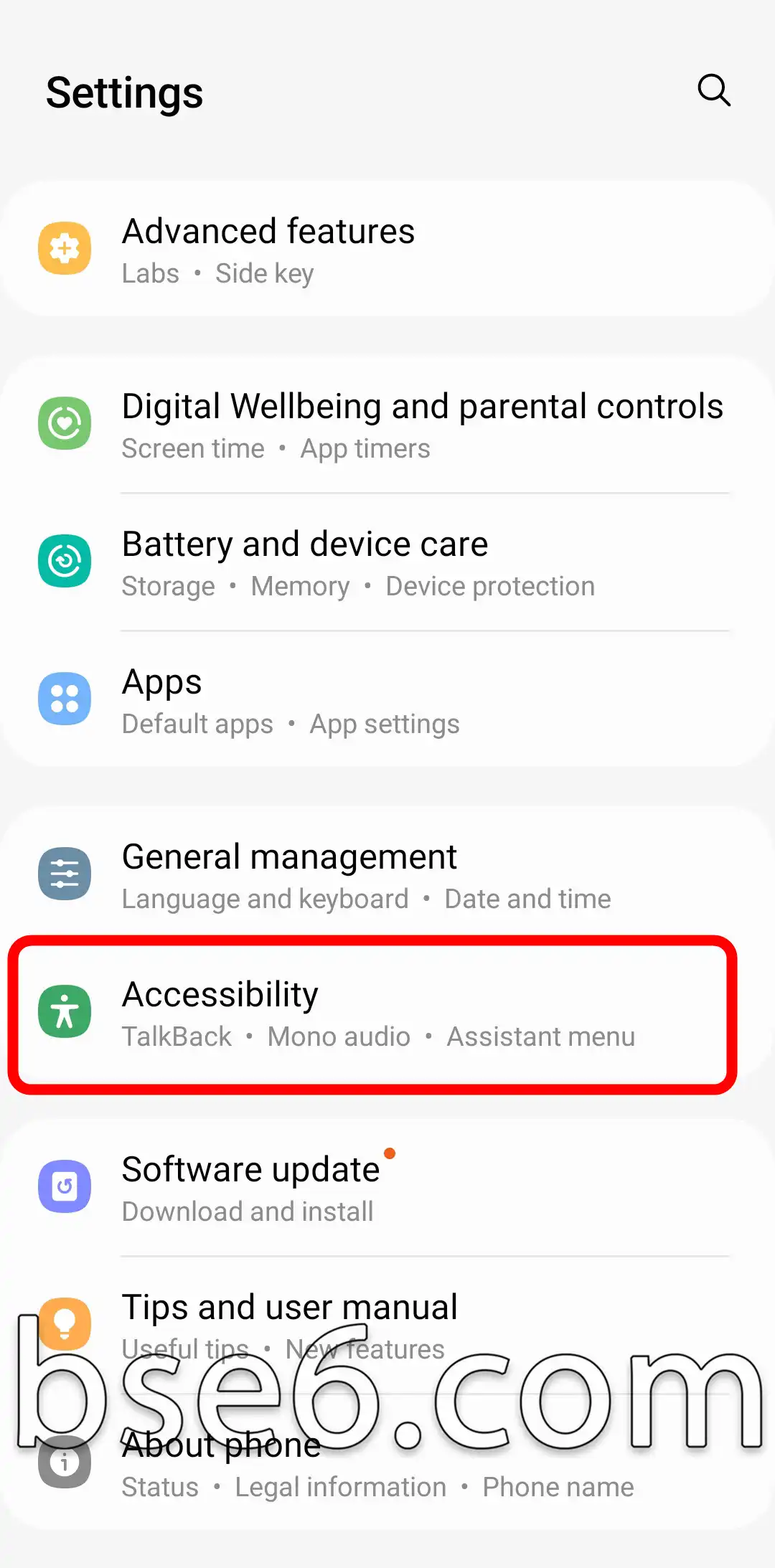
2- Tap on “Accessibility”.
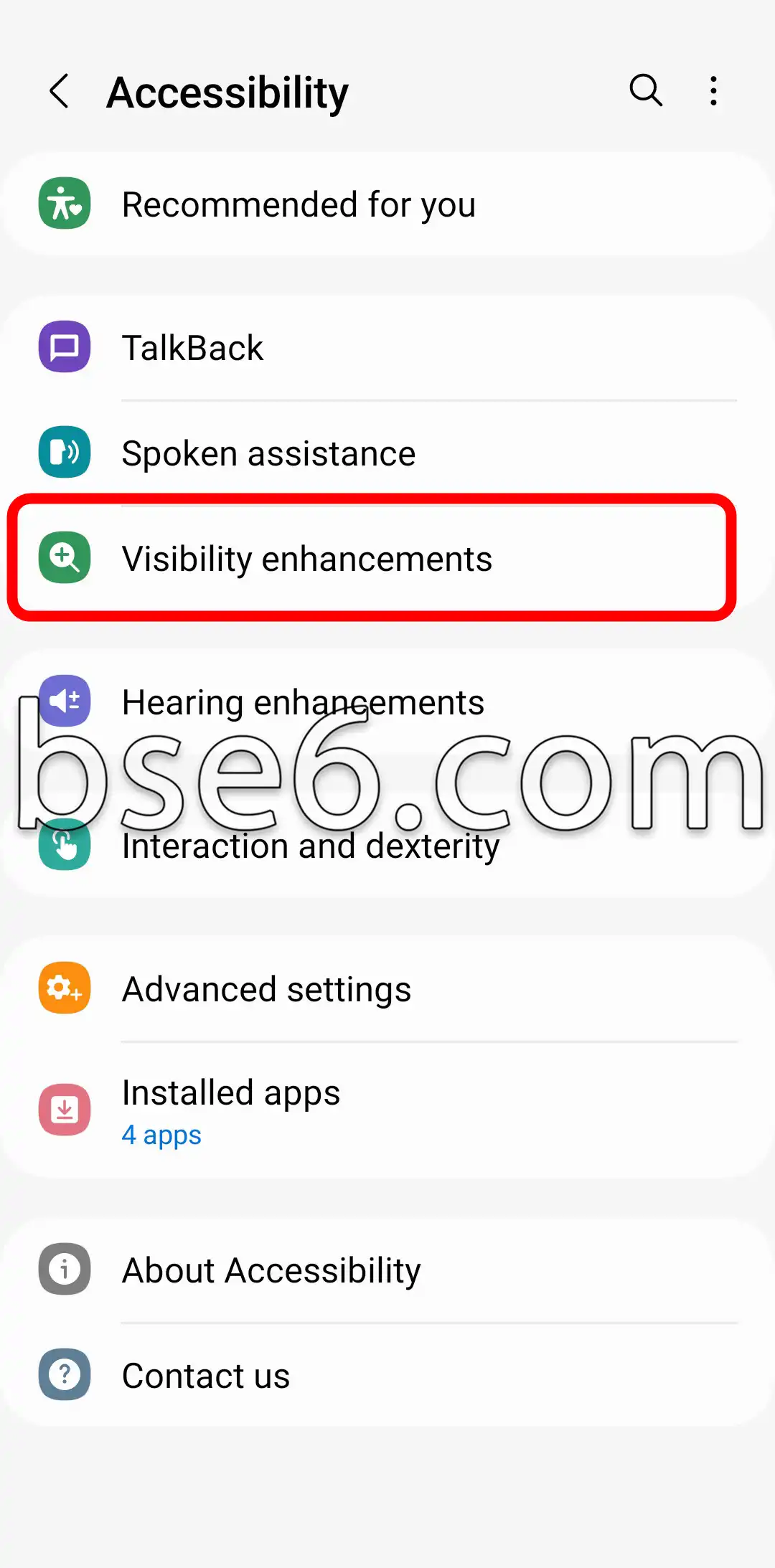
3- “Visibility enhancements”.
4- Select “Color inversion”.
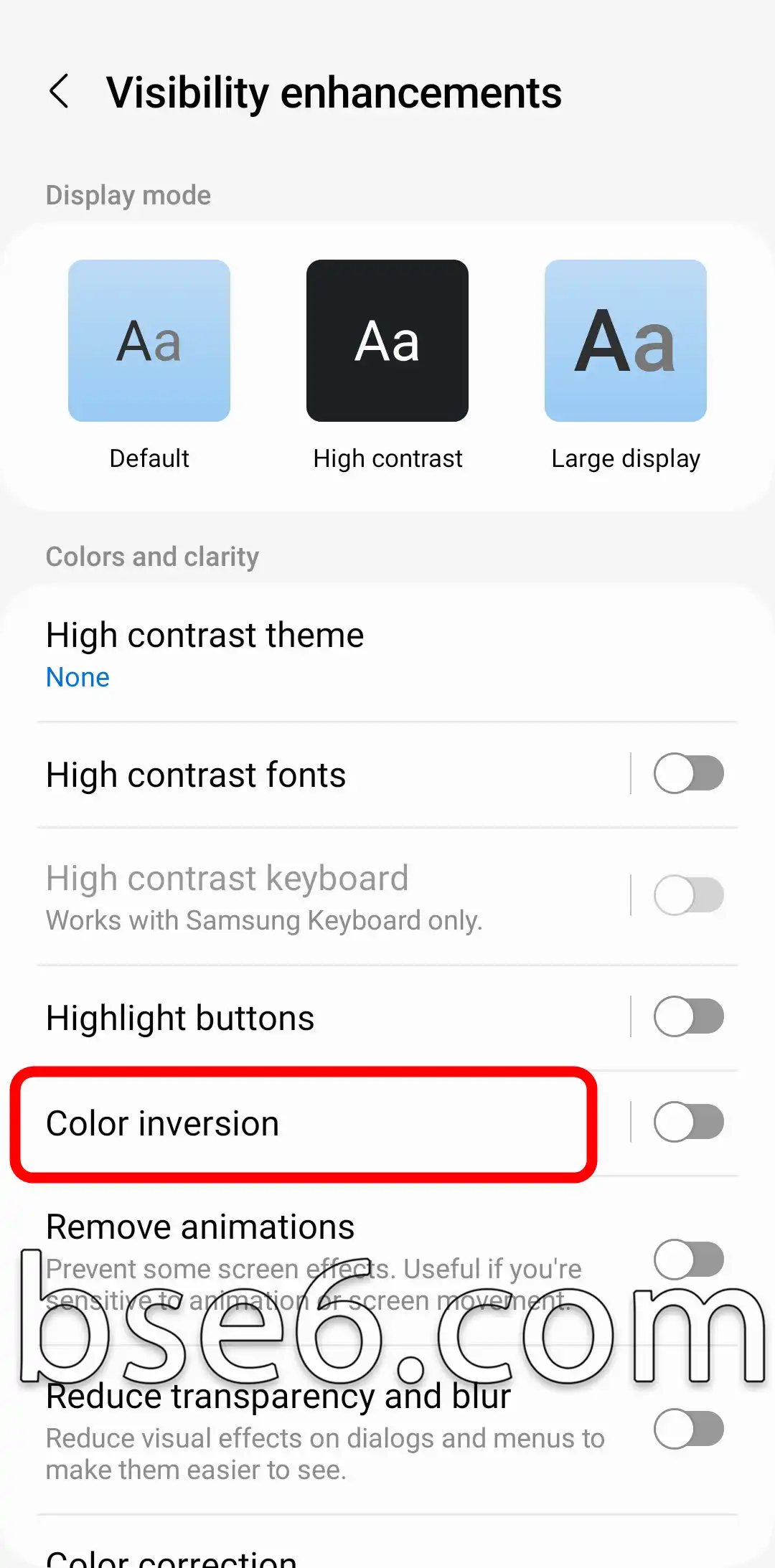
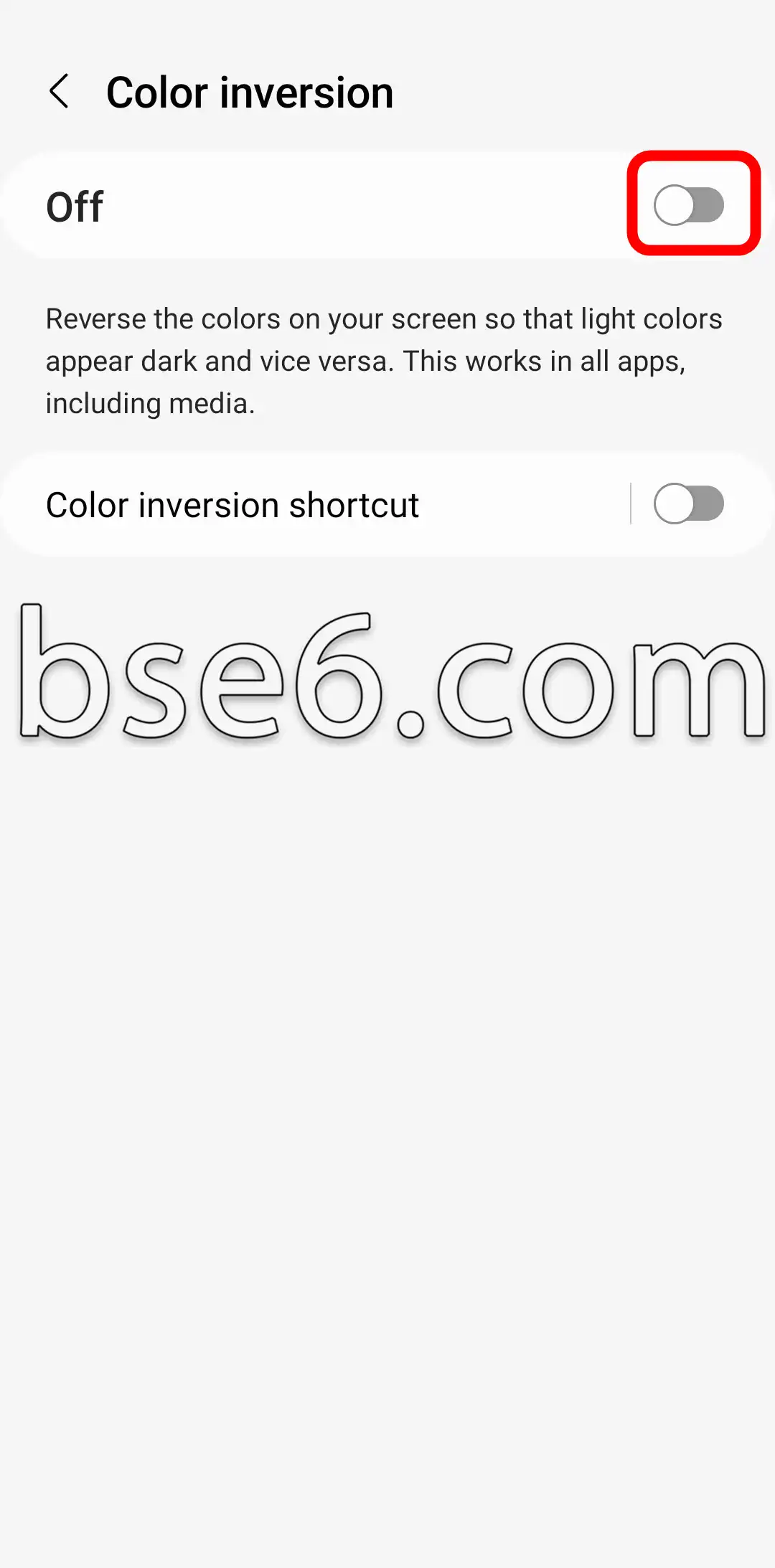
5- Turn on the switch shown in the image to enable color inversion mode on your phone.