
How to Adjust the Colors on Samsung Galaxy A36 5G Easily
If you haveenabled color correction on the phone, you can enjoy more accurate color vision, remove colors to help you focus, and control the color tone on the Samsung Galaxy A36 5G screen. You can customize the screen color from Settings as you prefer, and in the following guide, we’ll show you how to enable color correction on the Samsung Galaxy A36 5G.
How do you enable color correction on the Samsung Galaxy A36 5G?
1- Go to “Settings”.

2- Scroll down and tap “Accessibility”.
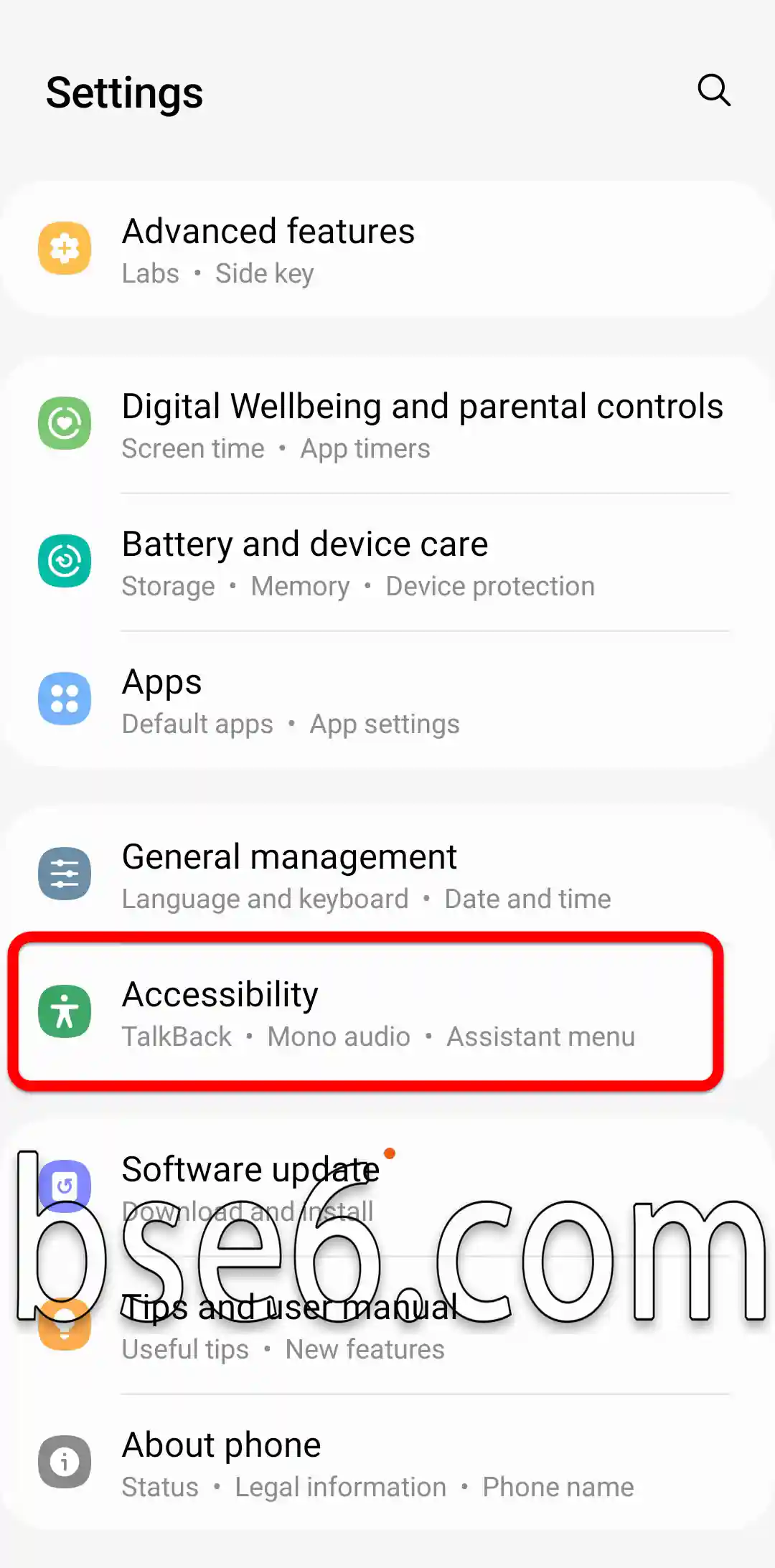
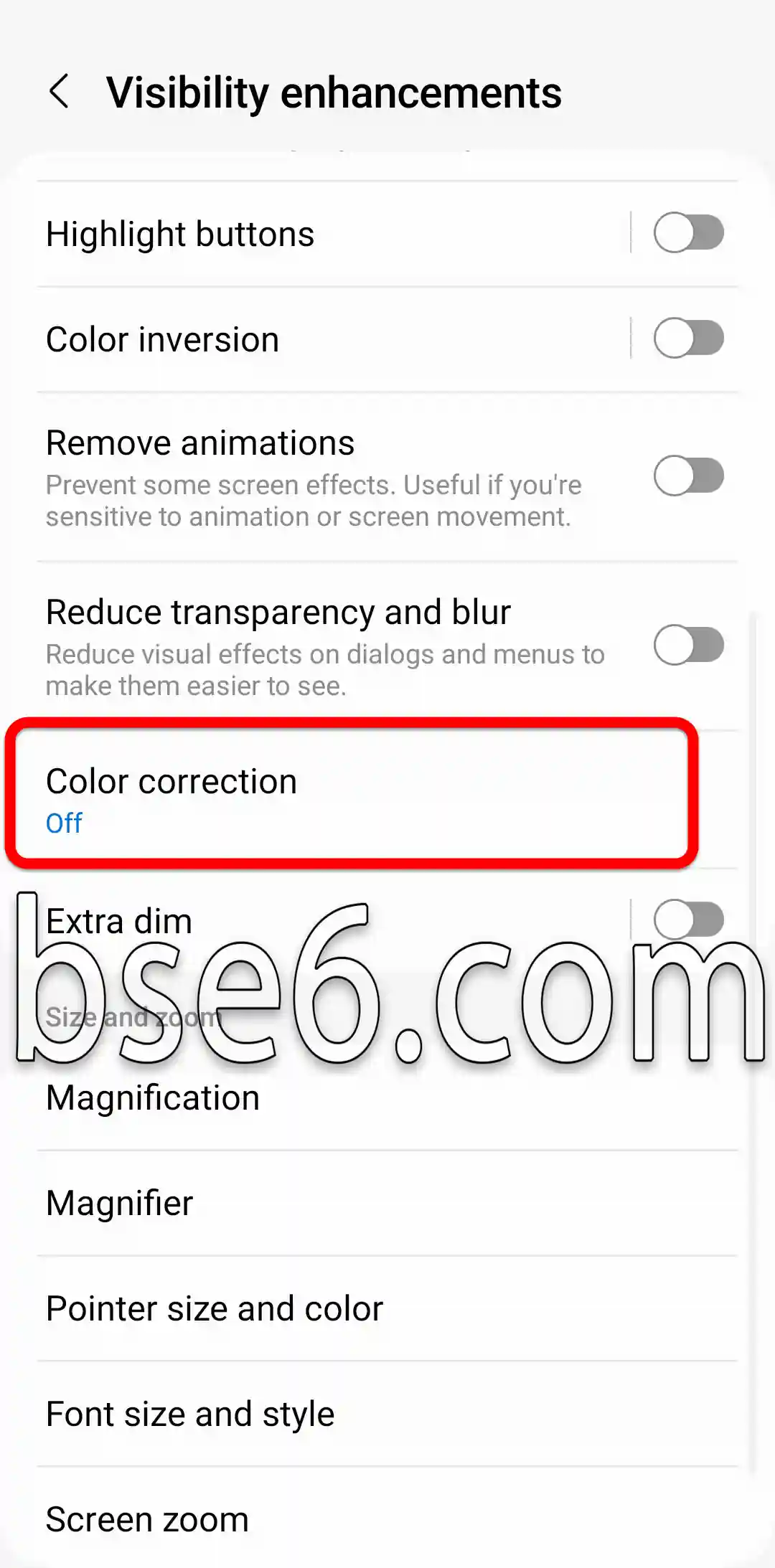
3- “Visibility enhancements”.

4- “Color correction”.
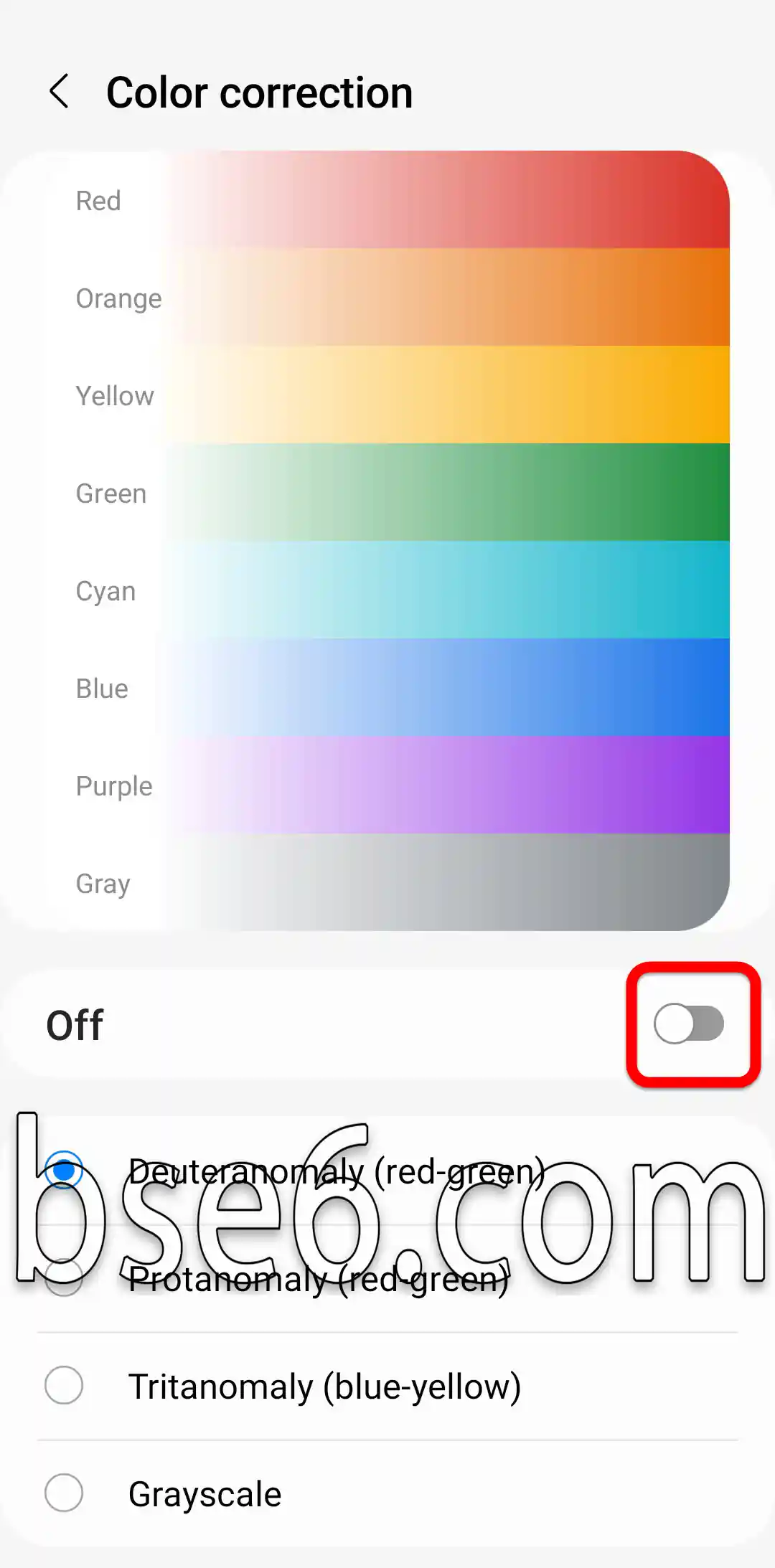
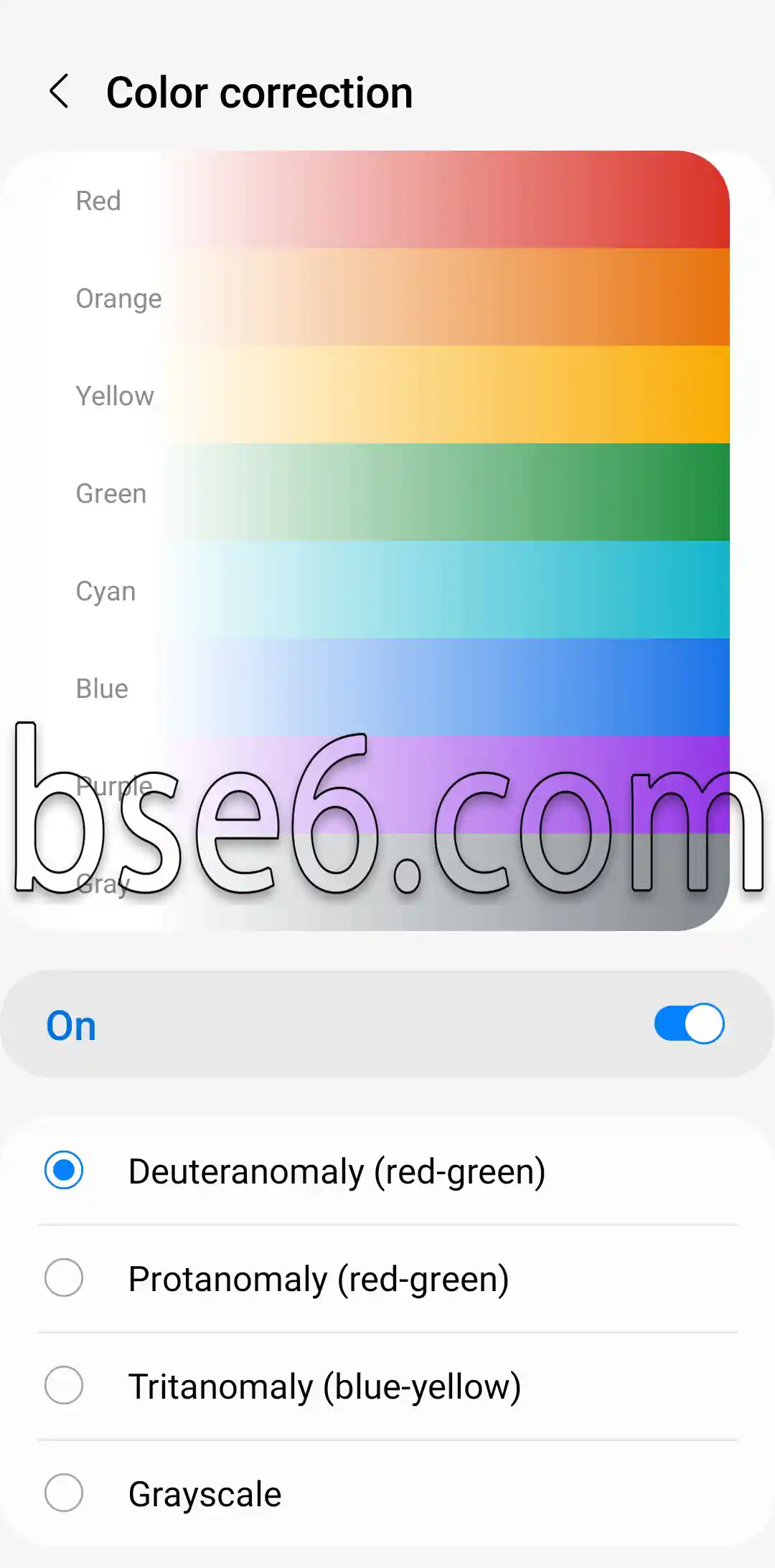
5- After turning it on, choose the option that suits you from this screen.
Steps to easily correct colors on the Samsung Galaxy A36 5G
Color correction: Have you ever noticed that the photos on your Samsung Galaxy A36 5G look dull or unbalanced? Color correction is the best way to restore vibrancy and accuracy to image details, giving you a better visual experience and higher photo quality.
To get started with color correction on the Samsung Galaxy A36 5G, follow these steps:
- Open Display settings
Go to “Settings,” then select “Display,” and then “Screen mode.” You’ll find several options for adjusting the screen colors to your preference. - Choose the right color mode
The phone lets you change saturation, contrast, and hue. Choose the mode that reproduces colors as realistically as possible. You can try several modes, such as “Natural” or “Vivid,” to see the difference. - Manually adjust colors
If you want more precision, use the manual color correction tool. Here, you can enable AI to enhance colors automatically, or adjust saturation and color balance manually, which is an effective option for photography enthusiasts. - Use free third-party apps
Free specialized color correction apps are available, such as Snapseed or Lightroom. Thanks to the AI in these tools, colors can be improved with just one tap. - Color correction in photos and videos
Color correction is not limited to still photos alone; you can also use it to adjust video colors through built-in options or with video editing apps.
The importance of color correction lies in bringing out true colors and improving the user experience, especially for photography enthusiasts. According to reviews from tech sites, Galaxy A36 5G is one of the phones that offers flexible color adjustment to suit every taste.