
Samsung
-
Enable Color Correction on Samsung Galaxy A36 5G
Color Correction for Samsung Galaxy A36 5G, How to correct screen colors on Samsung Galaxy A36 5G, color correction on…
Read More » -
TalkBack on Samsung Galaxy A36 5G: Everything You Need to Know About the Feature
TalkBack on Samsung Galaxy A36 5G, How to enable TalkBack on Samsung Galaxy A36 5G, How to disable TalkBack on…
Read More » -
How to Update Your Samsung Galaxy A36 5G
Updating your Samsung Galaxy A36 5G, How to update your phone through the settings, Update Samsung Galaxy A36 5G without…
Read More » -
Answering and Ending Calls on Samsung Galaxy A36 5G
Answering and ending calls on the Samsung Galaxy A36 5G, control options for answering and ending calls on the Samsung…
Read More » -
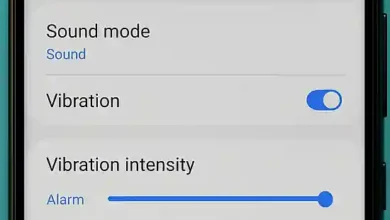
How to Control Vibration Settings on Samsung Galaxy A36 5G
Control system vibration on Samsung Galaxy A36 5G, how to adjust vibration settings and vibration intensity on Samsung Galaxy A36…
Read More » -
Displaying the Battery Percentage on Samsung Galaxy A36 5G
Displaying the battery percentage on Samsung Galaxy A36 5G, how to check the battery charge level on Samsung Galaxy A36…
Read More » -
Turning on the Flash When Receiving Notifications on Samsung Galaxy A36 5G
Turning on the flash when receiving notifications on Samsung Galaxy A36 5G, How to enable flash alerts for incoming calls,…
Read More » -

App Cloning on Samsung Galaxy A36 5G
App Cloning for Samsung Galaxy A36 5G, How to enable the App Cloning feature on Samsung Galaxy A36 5G, App…
Read More » -

Setting app languages independently on Samsung Galaxy A36 5G
Using different languages for apps on Samsung Galaxy A36 5G, how to set each app on your phone to a…
Read More » -
Hide Apps on Samsung Galaxy A36 5G
Hide apps on Samsung Galaxy A36 5G, how to hide apps on Samsung Galaxy A36 5G, steps to hide any…
Read More »